
Copy the payment details from ChainerTX
Keep the active ChainerTX payment page open. Copy the payment address and note the exact crypto asset, blockchain network, amount, and remaining time. You will use these details in Mercuryo.
Beginner payment guide · 5 min read
Don't have the crypto requested by your payment page? Buy it with an eligible credit or debit card through Mercuryo and send it directly to the active ChainerTX payment address.
Keep the active ChainerTX payment page open. Copy the payment address and note the exact crypto asset, blockchain network, amount, and remaining time. You will use these details in Mercuryo.
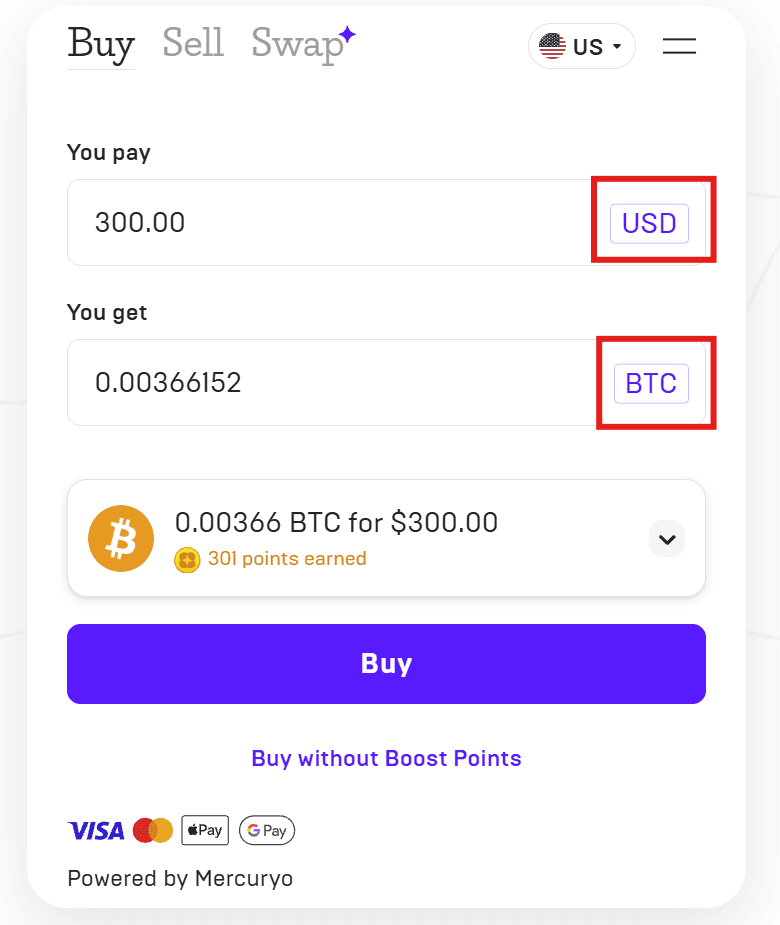
Open the Mercuryo exchange and stay on Buy. Choose the fiat currency you want to spend and the crypto you need to receive.
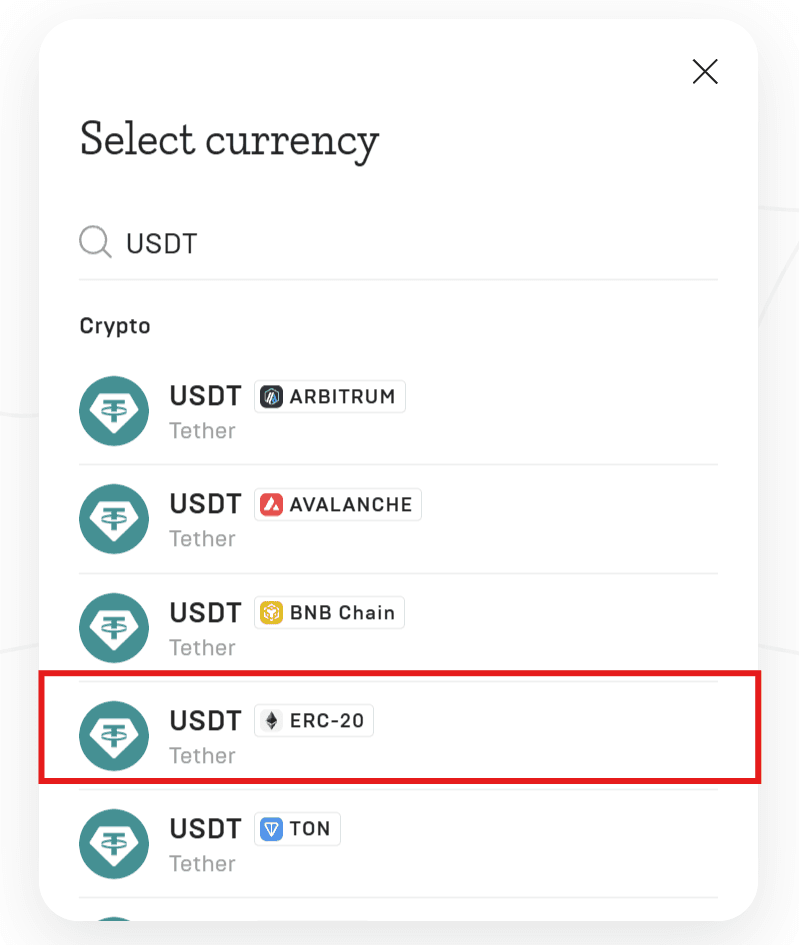
Search for the crypto required by the payment page and select the exact network. In this example, the user selects USDT on ERC-20. Your payment may require a different network.
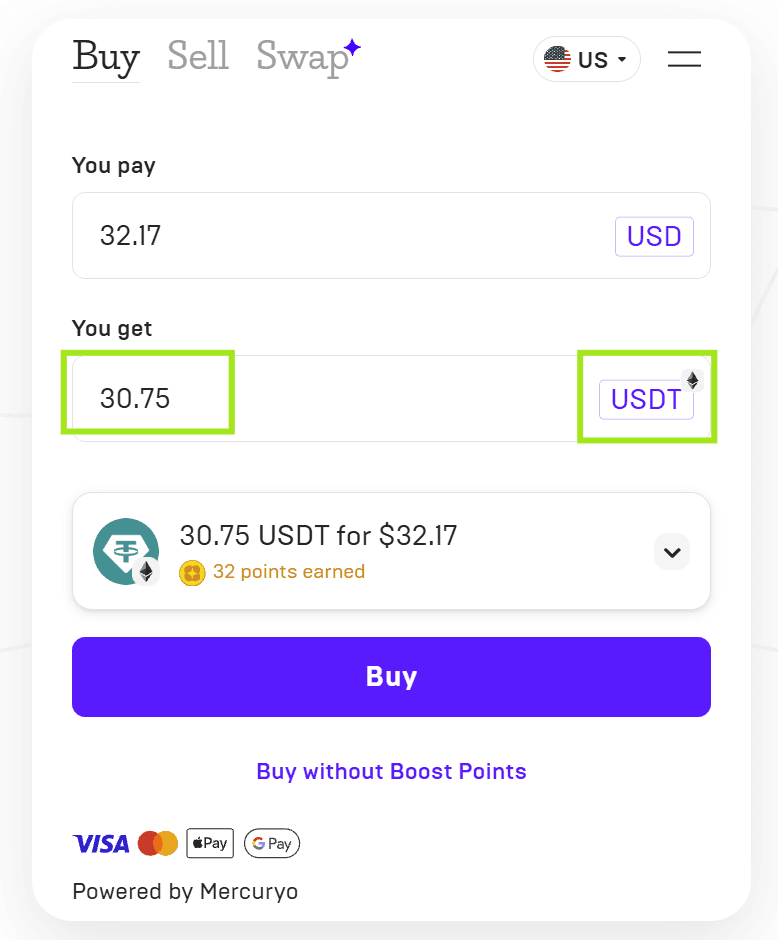
Enter the fiat amount and check the crypto amount Mercuryo will deliver. Adjust it until the amount received matches or slightly exceeds the amount requested on the ChainerTX payment page. Do not continue if the delivered amount is lower.
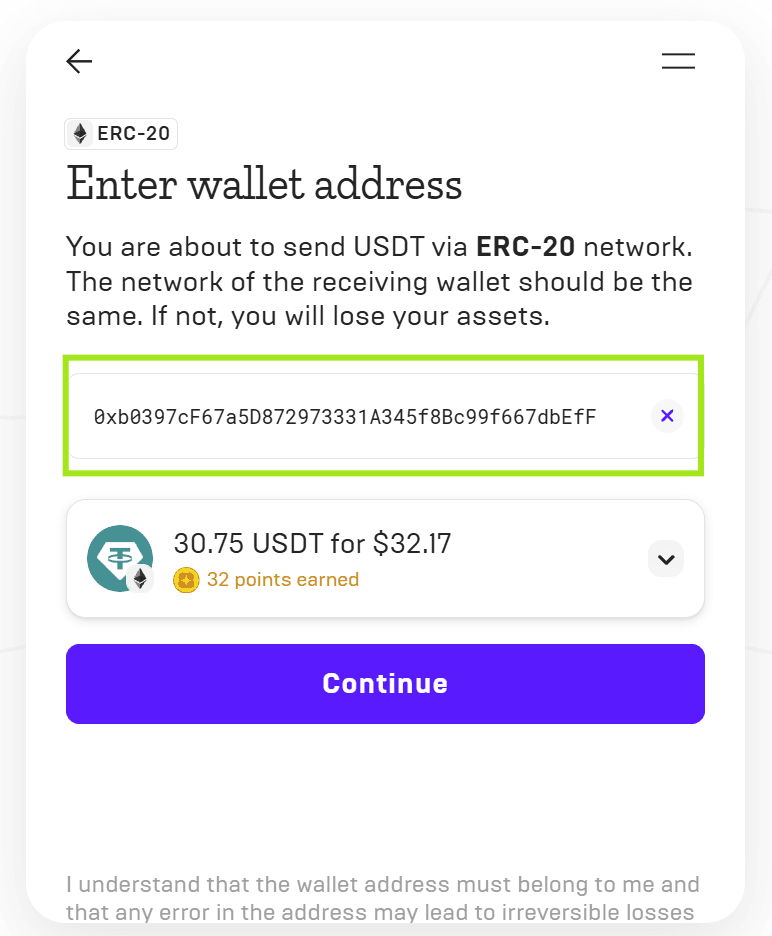
Copy the address directly from the active ChainerTX payment page and paste it into Mercuryo. Compare the first and last characters, then confirm that the network shown by Mercuryo matches the payment page exactly.
Review Mercuryo's quote, fees, and limits, then choose an eligible Visa or Mastercard. Other payment methods may also be available. Mercuryo may ask you to sign in or complete identity verification depending on the transaction and its checks.
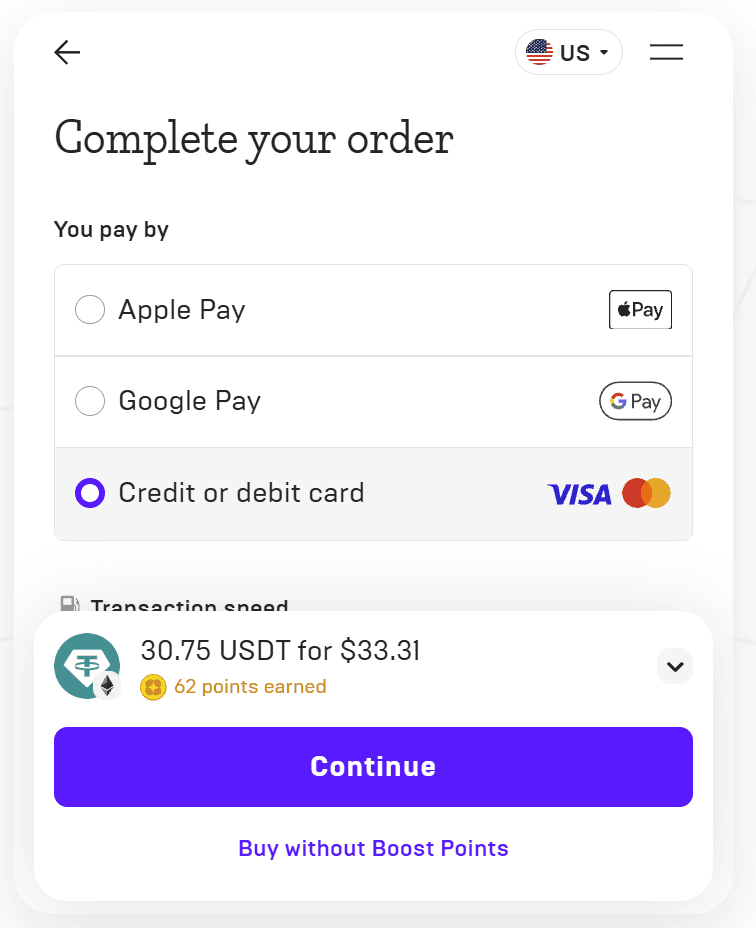
Keep the ChainerTX payment page open while Mercuryo processes the purchase. The crypto will be sent directly to the payment address. ChainerTX will update the payment after the transfer is detected and confirmed on-chain.
Mercuryo screens are shown for reference. Available assets, networks, payment methods, fees, and interface details may vary by location and over time.
Important
Use only the address from the active payment page and complete the purchase before it expires. A transfer sent to the wrong address or network may be unrecoverable. Never share a seed phrase or private key with anyone.
Frequently asked questions
Yes. Mercuryo supports eligible Visa and Mastercard credit and debit cards. Availability, issuer approval, limits, and verification requirements can vary by user and location.
No. ChainerTX provides the payment page and payment address. The crypto purchase is processed by Mercuryo under its own terms, availability, pricing, and verification process.
It may. Verification requirements can depend on the purchase amount, payment method, location, and Mercuryo's compliance and anti-fraud checks.
Yes. Copy the address from your active ChainerTX payment page into Mercuryo, then match the requested asset, network, and amount. Keep the payment page open until the transfer is detected.
Do not send funds to an expired payment request. Return to the merchant and request a new payment link before transferring crypto.